
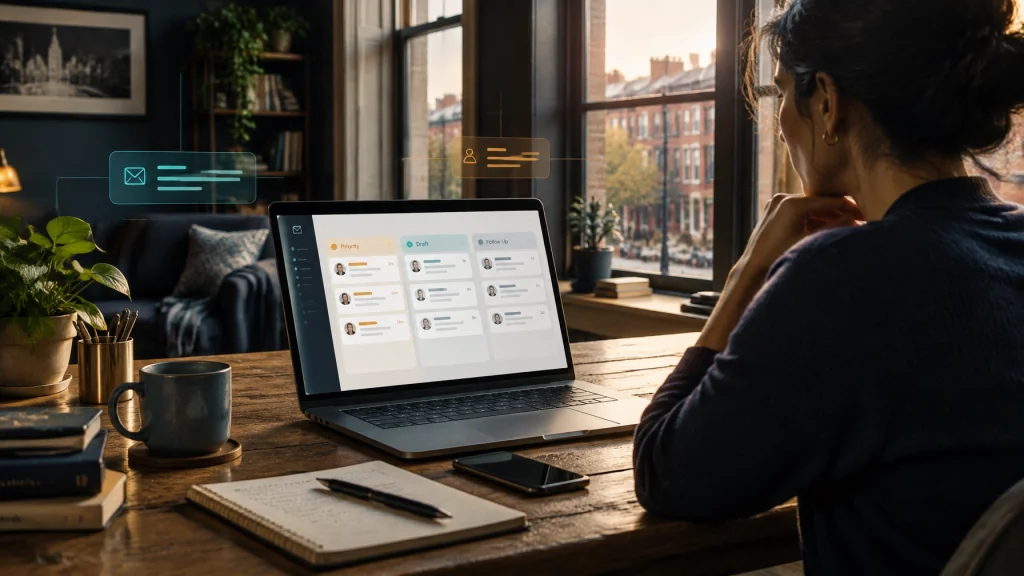
For many small businesses, the inbox is the slowest, least-guarded part of lead intake. A website form can collect a request in seconds, but that message may sit unread while the owner is working, serving customers, or driving between jobs. A well-designed ai email assistant should help sort and prepare that work, not become an auto-responder that sends messages without permission.
Consider a Fishtown maker who checks quote requests on a phone between workshop jobs. Or a Center City bookkeeper whose shared info@ inbox gets 60 messages a day, of which perhaps eight need attention. An estimator may take three days to reply while a competitor answers in an hour. Those inquiries do not always disappear dramatically. Sometimes they simply go cold.
The assistant should prepare the work, not take over
The useful role for AI is as a triage and drafting layer, with a person staying in control. It can help:
- Separate genuine customer inquiries from newsletters, spam, and vendor pitches.
- Summarize long email threads so the owner can catch up quickly.
- Draft replies in the business’s tone for a human to review and approve.
- Pull out details needed for a quote, such as service, address or ZIP code, timeline, and budget range.
- Create a task or CRM record instead of leaving a promising lead buried in the inbox.
- Flag urgent or angry messages for a person to handle.
- Nudge the team to follow up on unanswered threads.
- Keep a searchable record of what was discussed and promised.
That can be a practical application of AI automation systems, especially when the workflow connects the inbox to the website form, CRM, and task list. But the assistant should propose actions, not quietly make important decisions.

What it must never do
An assistant should not invent prices, availability, project scope, or business policies. If a customer has not provided a timeline or address, the assistant can ask for it. It should not guess.
On the first pass, it should not send anything without review. It should not commit the business to a deadline, make legal, tax, or medical recommendations, or reply as if a customer’s issue is routine when the situation needs judgment. It must not quietly contradict a promise a staff member already made in the thread. And it should not delete or archive messages unless the owner has set a clear rule for doing so.
Treat incoming email as untrusted content. A message can include misleading instructions, unusual links, or attachments. Keep permissions narrow, make drafts and proposed actions visible, and give people a clear way to stop the workflow. If the system is unsure, it should flag the message for a person instead of trying to sound confident.
Roll it out with an approval ladder
A gradual rollout lets a business see how the assistant behaves before giving it more responsibility.
Week one: draft only. Keep the assistant read-only for sending and record changes. Let it classify messages, summarize threads, and prepare drafts for a person to check. Track what it misses and what it gets wrong.
Week two: approve and send low-risk replies. A reviewer can approve messages in safe categories, such as an appointment confirmation or a simple “we received your request, here’s what happens next” acknowledgement.
Week three: automate only a narrow acknowledgement. If the first two weeks have been reliable, the assistant may send an approved, templated acknowledgement by itself. Everything else still goes to a person.
Week four: review and refine. Look at transcripts, drafts, corrections, and escalations. Tighten tone guidance and routing rules. Keep human approval for quotes, complaints, unusual requests, and anything that creates a commitment.
The goal is not to automate as much as possible. It is to reduce delay without losing control of the customer relationship.
Your website still has a job to do
A smarter inbox cannot make up for an unclear contact path. Website forms and email should land in the same place, or at least in a workflow the team actually monitors. A useful inquiry form asks for the basics the assistant needs to prepare a relevant reply: what service the person wants, where the work is located, when they need it, and an approximate budget range when appropriate.
The site can also answer common questions before they become extra email. Clear details about hours, service area, pricing bands, and what happens after an inquiry help customers decide whether to get in touch. On the contact page, make the email address easy to tap on mobile and set an honest reply-time expectation.
A carefully planned custom web design can connect the form, contact details, and next step into one straightforward experience. If you are also thinking about the role of automated phone handling, see our companion post on what an AI receptionist should actually handle for Philadelphia small businesses.

AI is one option, not automatically the best option
A shared info@ alias and a folder rule may be all you need if the main problem is sorting predictable, high-volume messages. Canned replies are a simple fit when the same questions come up repeatedly and a staff member can choose the right template.
A virtual assistant or answering service can be a better fit when messages need human judgment, customer reassurance, or live interaction. AI can be useful when the bottleneck is preparing replies quickly and consistently, with a person signing off before anything consequential goes out.
These approaches can work together. Start with the least complicated option that solves the actual problem. For a broader look at how campaigns and customer follow-up differ from inbox triage, read what email marketing services should actually deliver for Philadelphia businesses.
Measure what changes for the business
Start with a small set of measures:
- Median reply time to a real inquiry.
- Percentage of real inquiries answered within one business day.
- Drafts accepted as written versus drafts rewritten.
- Follow-ups that were actually sent.
- Quotes that turned into booked jobs.
Reply speed is usually the number that moves first. That is a useful early sign, but it does not prove the system is helping if replies are inaccurate or the right leads are missed. Review a sample of messages regularly and look at the whole path from inquiry to booked work.

Make privacy part of the setup
Before connecting an inbox, decide exactly what the assistant may read: which addresses, folders, message history, and attachments are in scope. Agree on how long drafts and message data are retained, who can see them, and whether the information is used to improve a provider’s models. Make sure the business can audit access and activity.
For a shared inbox, confirm that the people whose messages are being processed have appropriate authorization. Keep sensitive client details out of tools the owner cannot review or govern. Use the narrowest permissions that make the workflow useful, and decide who can pause it if something looks wrong.
The right email assistant should help your team respond sooner without taking the customer relationship out of your hands. If your inquiries are getting stuck between the website and the inbox, talk with BENT Enterprise about the right next step.